
What Copilot can connect
For personal accounts, Microsoft lists four connectors: OneDrive, Outlook.com with email, calendar and contacts, Google Drive, and Gmail with calendar and contacts. They work on copilot.com and in the Copilot mobile app. Custom apps and MCP servers are not on the list.
Microsoft 365 Copilot at work is a separate product. There, admins set up connectors in the Microsoft 365 admin center, including federated connectors that fetch data over MCP. PandaChef is not in Microsoft's connector gallery.
Bring recipes from Copilot into your collection
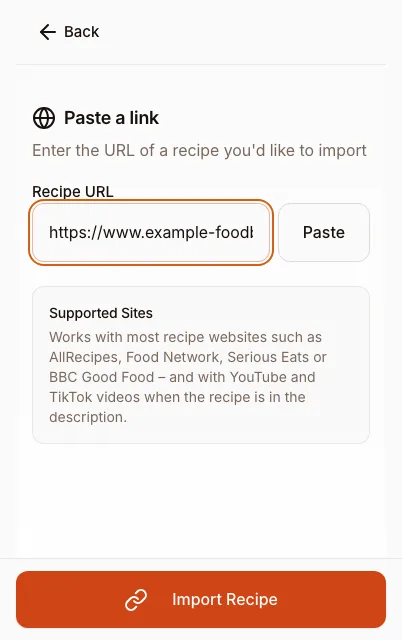
If Copilot names the page a recipe comes from, import that link: the import reads the page itself, with ingredients, amounts, steps and usually the photo. In our test of 29 October 2026, 104 of 120 links came through as recipes.
If Copilot wrote the recipe itself, copy the answer and paste it into PandaChef under Add recipe and then Paste text. The AI picks out the title, ingredients and steps, you check the result and save it. That uses one AI request.
Assistants that connect directly
ChatGPT has PandaChef in its plugin directory, and Claude adds it as a custom connector with the address https://www.99pandas.de/mcp. There you ask what you can cook from your pantry and plan the week from your own recipes.
What PandaChef does not do here
PandaChef cannot connect to consumer Microsoft Copilot, so Copilot does not see your collection, pantry or meal plan.
Each import from text uses one AI request, 10 once on the free plan.
Frequently asked questions
Can Copilot save recipes to my collection?
No. Consumer Copilot does not connect other apps. You bring the recipe over by link or as copied text.
What does it cost?
PandaChef is free for up to 9 recipes. Importing from text uses one AI request per recipe: 10 once on the free plan, 50 a day with Premium.
What about Microsoft 365 Copilot at work?
There the admin decides which connectors exist. PandaChef is not in Microsoft's connector gallery.