
What Le Chat requires
Mistral calls custom connectors an administrator feature. On the Free, Pro and Student plans the account owner is the administrator by default; in an organization, the admin adds the connector.
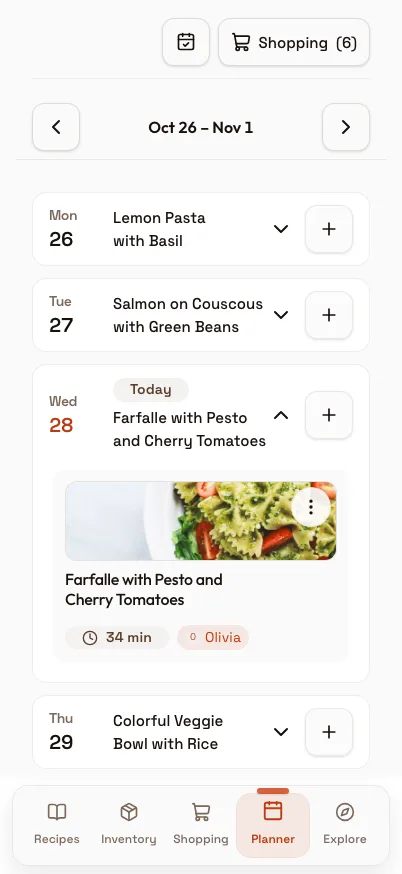
Connectors work on the web and in the iPhone and Android apps. Custom connectors do not support everything MCP offers yet: resources are missing, so Le Chat shows recipes, lists and plans as text rather than the cards you get in ChatGPT and Claude.
How to connect your recipes to Le Chat
Open Connectors in Le Chat and click + Add Connector.
Switch to the Custom MCP Connector tab.
Give it a name with no spaces and enter https://www.99pandas.de/mcp as the server URL, including the www.
Click Connect. Le Chat detects the OAuth sign-in on its own and opens the PandaChef sign-in page.
Sign in and approve the access. The consent page shows the address the access goes to, which should belong to Mistral.
What to ask
Le Chat calls the recipe tools when a question fits. Name PandaChef in the question so the answer comes from your account, not from general knowledge.
What can I cook tonight from my PandaChef pantry?
Show my shopping list.
What is on my meal plan this week?
Save this recipe to my collection, followed by a link to a recipe page.
What PandaChef does not do here
We have not tested the Le Chat connection ourselves. If sign-in fails, the browser and the iPhone and Android apps work without it.
Le Chat shows no cards for custom connectors. Recipes, the shopping list and the meal plan come back as text.
The pantry match compares names, not amounts. One egg in the fridge counts for a recipe that needs six.
Frequently asked questions
Does the connector cost anything?
Mistral says connectors are available to every Le Chat user, free plan included. On our side the connection is part of the free plan, with up to 9 recipes; Premium is not needed for it.
Is PandaChef in Le Chat's connector directory?
No. Mistral picks the connectors in its directory itself. You add PandaChef as a custom connector by its address.
Why are there no recipe cards?
Custom connectors in Le Chat do not support MCP resources yet, and resources are what carry the cards in ChatGPT and Claude. In Le Chat you read the same recipes, lists and plans as text.
How do I disconnect Le Chat?
In PandaChef under Settings, Connect AI assistants, Connected apps, or by removing the connector in Le Chat.